Teleprompter for your desktop. Put small read window near your webcam and talk: Kalipso dey follow your voice with speech recognition wey stay for your computer, scroll with steady pace, or wait for your pedal.
Linux, with versions for KDE Plasma and GNOME. Windows and macOS: still experimental. No account, no cloud.
Opening talkVoice following · demo
Thank you everybody wey come here. [smile] Today I wan share one simple idea. Na teleprompter suppose follow you, no be you go follow am. Talk with your own speed, pause when you need am, then continue. The line wey you dey read go stay right here, for the same height.
165 words/min
Example of voice following: e mark current word, words wey you don talk fade, and your line stay for the same height.
Three ways to hold your place
You dey talk. Script dey follow.
Follow your voice
Words wey you don talk fade, and the line wey you dey read stay for the same height. Recognition dey run for your computer with Moonshine or Vosk, or the system own for Windows and macOS.
Arrow keys, foot pedal, presentation clicker or your phone. You fit choose wetin each key go do.
Try read window
See how e dey hold your place.
Na the app read window be this, inside your browser. Move some words forward, change colours or mirror am for teleprompter glass, then edit the script. Browser version no dey ever record audio or save your script.
Sample talk script
Small preparation dey make room for better conversation. Take your time. Leave space for pause.
By-hand demo · Microphone off
Changes dey show sharp-sharp. [Cues inside brackets] go show but no read them. This demo dey reset when you reload; desktop apps go save your script.
For real use
Just under your camera, on top of any app.
For call, when you dey record, when you dey present: read window dey stay where your eyes suppose dey, for Linux, Windows and macOS.
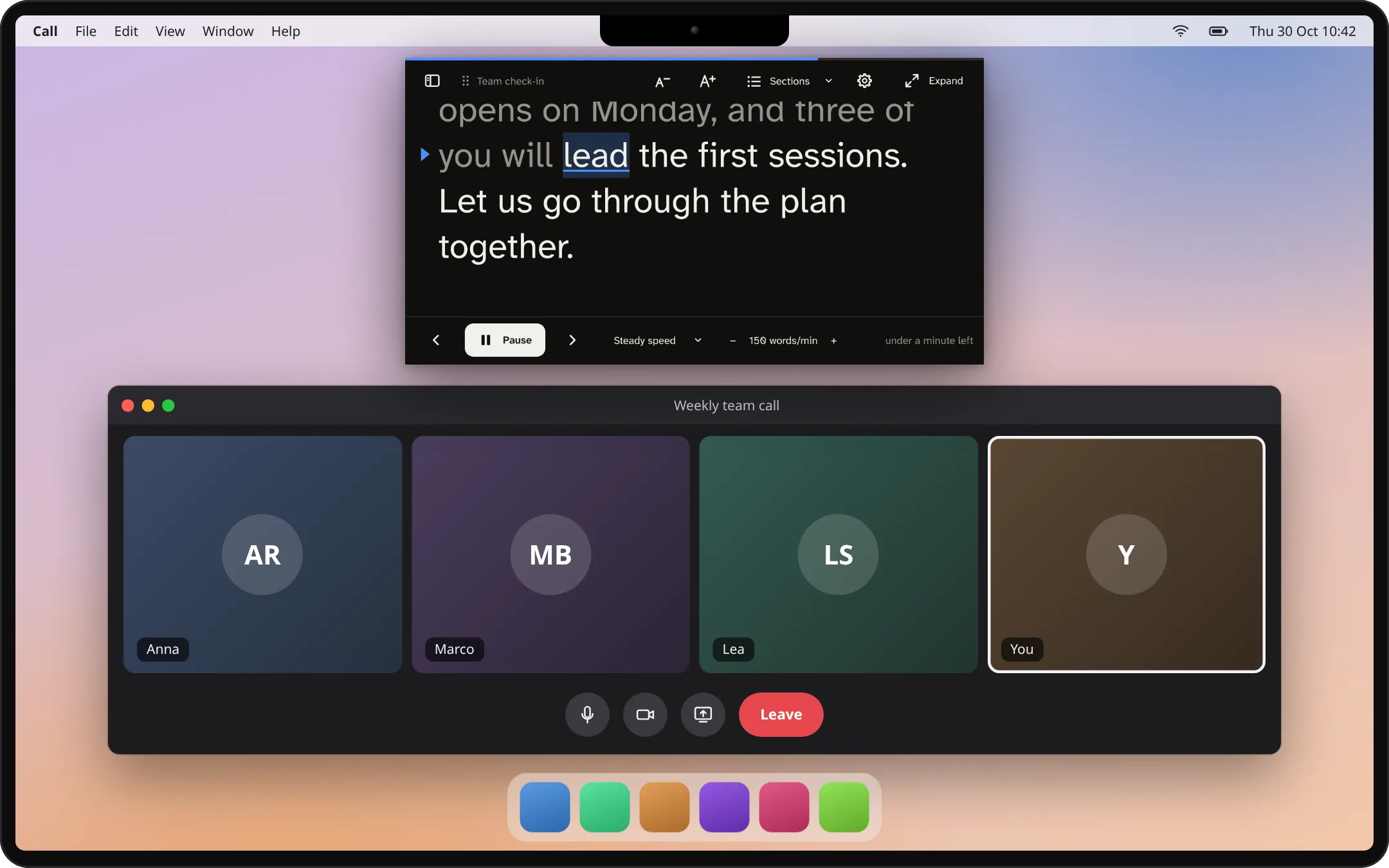
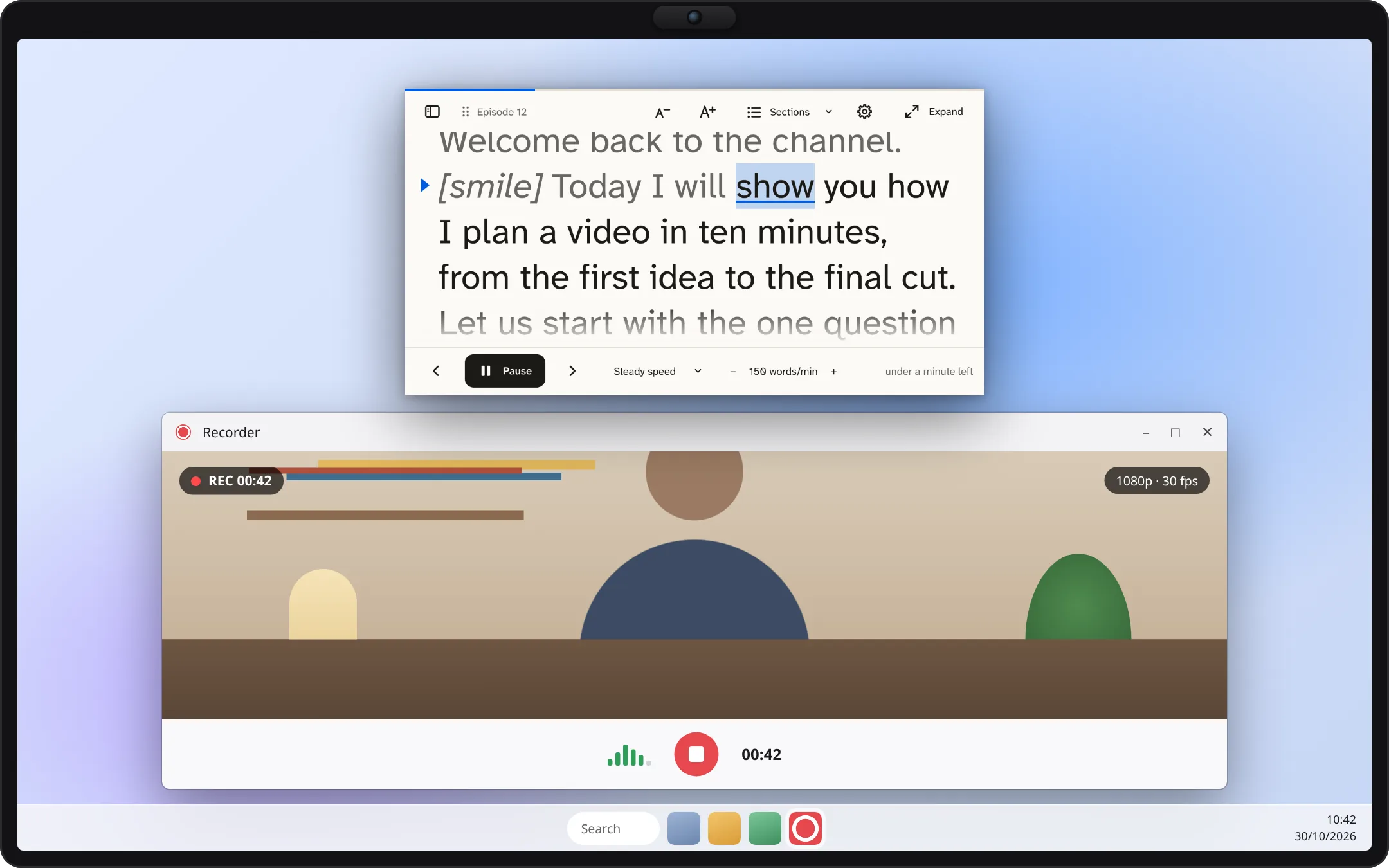
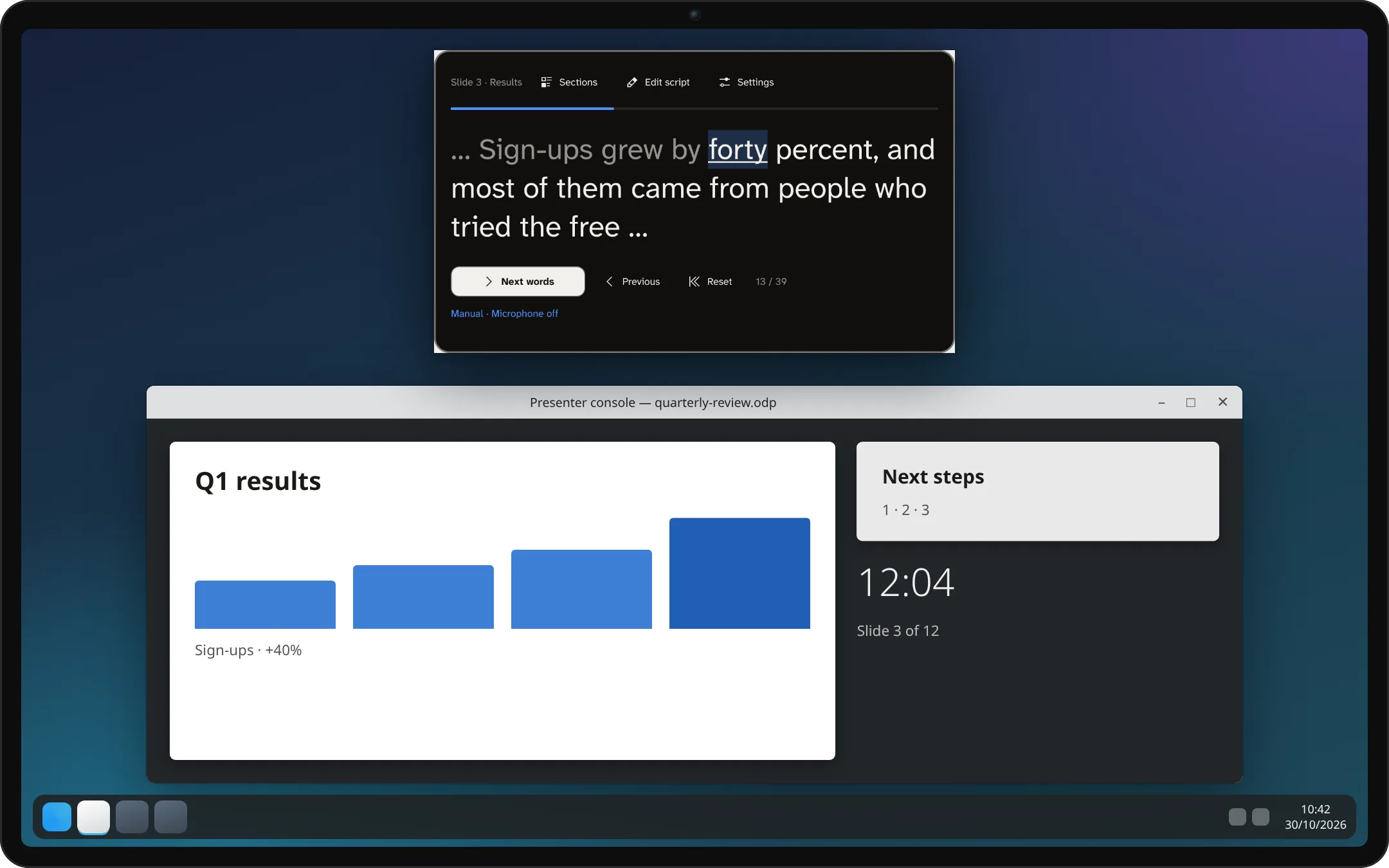
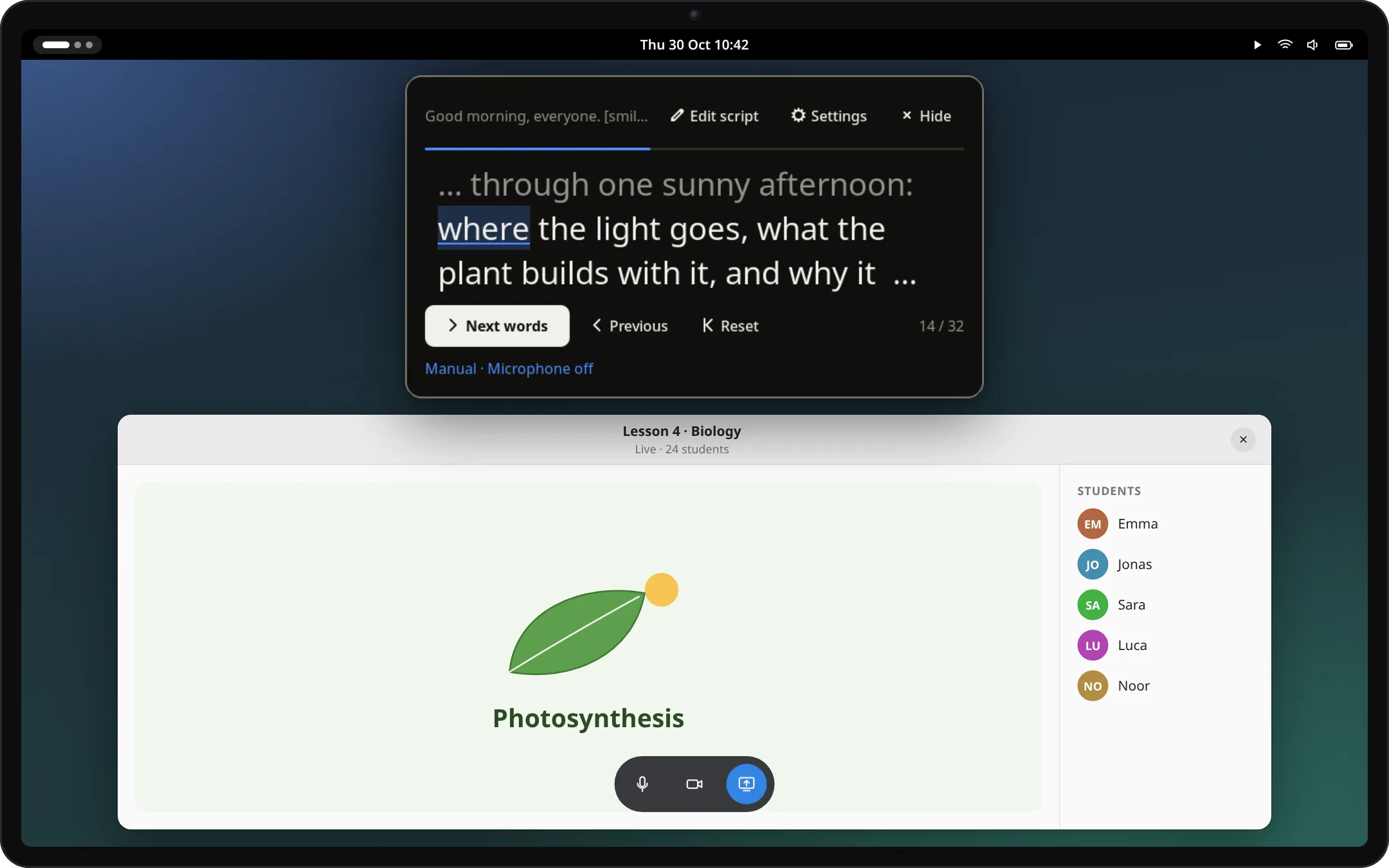
For video call · macOSRead window dey just under camera, so you fit keep eye contact as you dey talk.Recording video · WindowsSteady scrolling with your speed as you dey record, with light colours here.Presenting slides · KDE PlasmaPlasma widget dey keep your notes, one section for each slide; step with clicker or arrow keys.Teaching online · GNOMEGNOME extension dey open from top bar, on top of any app.
Na desktop and app examples wey dem draw to explain. The Kalipso windows inside them na real captures from current version.
Privacy from the design
Your words dey stay for your computer.
No account, no cloud. Scripts na plain text files for folder inside your computer.
Speech recognition dey run locally. Audio no dey ever leave your computer and nothing dey record.
Phone remote no dey ever see your script. Na only commands like start, pause and step e dey send, through your own network.
SANSEVIERIA License 1.0. Read the code, build am yourself, check wetin e dey do.
Other things wey e fit do
Dem make am for how you dey present.
Speaker notes and documents
Import notes from PowerPoint and Impress, one section for each slide, or Word, Writer and Markdown documents.
E dey follow Impress live
Present with LibreOffice Impress and read window go jump to notes for the slide wey dey screen. For Linux, Windows and macOS.
Mirror am for glass
Flip text sideways or up and down for beam-splitter teleprompter. Controls go still dey readable.
Reading wey easier
Make text bigger or smaller with A− and A+, use any font wey you get, even the ones for dyslexia, wide line space and lines wey dey fade for edges.
Write where you dey read
One window: when e big, you dey write inside read window itself, with buttons for bold, slant text, sections to jump to and [cues] like [smile] wey you no dey read. Under camera, na only read window e dey show.
How e go
After voice session: pace, long pauses and time for each section; you fit save report if you want.
Install am
Get Kalipso 3.0.
Free packages for Linux, Windows and macOS dey for release page. Dem never sign them, so your system go ask you to confirm the first time; SHA256SUMS there go let you check each download.
Linux app
Arch and EndeavourOS · Debian 13, Ubuntu 24.04 or newer · Fedora
Full app: write and read for one window, script library, imports, read window wey you fit move and mirror, phone remote and voice following. Every package also get Plasma widget, GNOME extension and KWin script.
Arch Linux and EndeavourOS, ready to run (kalipso go build am for your computer):
yay -S kalipso-bin
Debian and Ubuntu, inside folder where you save the .deb from release page:
sudo apt install ./kalipso_*_amd64.deb
Fedora, inside folder where you save the .rpm from release page:
Read window for your desktop or panel, with scripts wey you write for app. E dey inside every Linux package of the app; without the app, add the .plasmoid from release page. Voice following need Kalipso companion.
Read window from top bar, with scripts wey you write for app. E dey inside every Linux package of the app: log out and enter again, then turn am on for Kalipso Settings. Without app, install im .zip from release page. E declare Shell 48 and 51, na those versions dem test am with.
Apple Silicon · macOS 14.4 or later · experimental
The app, as .dmg: open am and drag Kalipso to Applications. First time, choose Open Anyway for System Settings → Privacy & Security. For device system speech need macOS 26.
The app, as .msi installer or portable .zip. If SmartScreen stop am, choose More info, then Run anyway. Voice following dey use speech recognizers wey don install for Windows.
Kalipso na separate read window; e no need enter any particular meeting app. Where window fit stay and how capture dey work depend on desktop. Test your real call or recording setup before you rely on am.
Other people go see am when I share screen?
For Windows, app dey ask system to leave read window out of screen shares and recordings. For KDE Plasma 6.6 or later, window no go show when e dey under camera. macOS no get reliable way for app to do this, so share one window there. For every case, check wetin another participant dey see, or the recorded video, before your presentation.
E fit read PowerPoint or Impress notes?
Yes. Standalone app dey import speaker notes from .pptx and .odp files, one section for each slide. E fit also follow LibreOffice Impress slideshow as you dey present, move to notes for the slide wey dey screen.
Which languages e fit follow?
Download catalog get Moonshine models for English, German, Spanish, Japanese and Chinese, plus Vosk models for those and Italian. Recognition quality dey differ by language and model. Manual and steady reading dey work for any language. Interface dey available for 39 languages.
My script dey save by itself?
Yes. Standalone app, Plasma widget and GNOME extension dey save your script and reading place for your computer as you dey type. Nothing dey upload. Na only this browser demo dey reset when you reload am.
E ready for important live presentation?
Kalipso 2.0 na the first public release. Recognition still fit lose your place, and testing for real computers and microphones still dey limited. Keep copy of your notes, learn manual controls and rehearse with your own hardware first.
Help us make the next version better.
Tell us wetin work, wetin no work, and wetin you need for your next talk or recording.